
What is Xbox Game Pass?
Xbox Game Pass is the official online membership of Microsoft Xbox. It’s available in different subscription tiers: Xbox Game Pass Ultimate, Xbox Game Pass Premium, and Xbox Game Pass Essential.
Depending on your choice, Game Pass gives you access to benefits like online multiplayer, free Xbox One and Xbox Series X|S games and exclusive discounts.
How does Xbox Game Pass work?
Becoming an Xbox Game Pass member is easy. Just buy your subscription at Startselect, and you’re ready to go! After you start your subscription, you instantly get access to the perks that come with it, like online multiplayer gaming and free games.
What is the difference between Xbox Game Pass Essential, Premium and Ultimate?
Xbox Game Pass Essential (formerly Xbox Live Gold and later Xbox Game Pass Core) is a simpler, more affordable subscription that gives you access to online multiplayer and a small selection of other Game Pass benefits.
Xbox Game Pass Premium is the middle-ground subscription. It gives you access to additional features, but it is also more expensive.
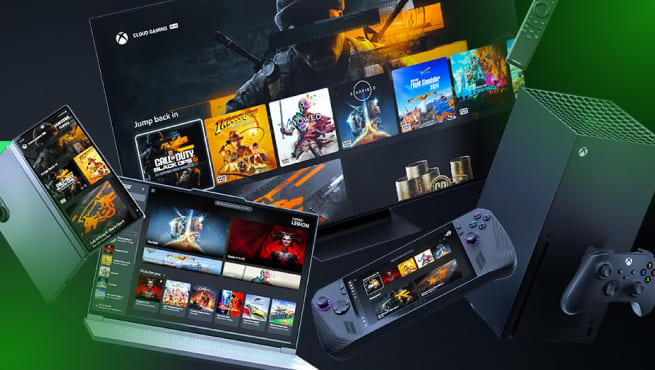
Xbox Game Pass Ultimate, on the other hand, is the all-in-one Xbox subscription. It includes hundreds of games, first-party Microsoft titles on release day, online multiplayer, Xbox Cloud Gaming, PC gaming, and even a free EA Play subscription.
What games can I play with Xbox Game Pass?
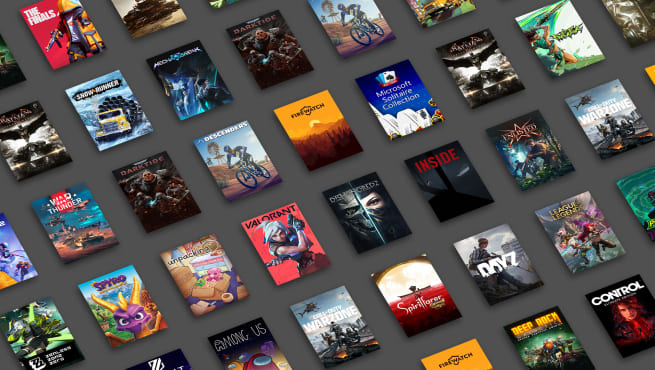
The Xbox Game Pass library is constantly expanding, offering hundreds of games across console, PC, and the cloud. Want to see the latest lineup? Check out the official Xbox Game Pass catalogue online!
How do I receive my Xbox Game Pass code?
Within 10 seconds of completing your payment, your Xbox Game Pass code will appear on your screen and be sent to your inbox. You can redeem it easily via your Xbox console or the Microsoft website.
How do I redeem my Xbox Game Pass code?
There are two ways to redeem your Xbox Game Pass code:
Redeem your code on your Xbox console:
- Open the Microsoft Store.
- Select 'Use a code'.
- Enter your Xbox code and confirm.
Redeem your code on the Microsoft website:
- Head over to Microsoft.com/redeem.
- Sign in to your Microsoft account.
- Enter your Xbox code and redeem.
How do I play games online on Xbox?
To play online games on your Xbox console, you need an Xbox Game Pass Ultimate, Premium, or Essential subscription. Once you have an active subscription, you can start playing online by following the steps below:
- Make sure your Xbox is connected to Wi-Fi or Ethernet.
- Check whether the online game you want to play is included with your Xbox Game Pass subscription in the Xbox Games library .
- Log in to your Xbox Game Pass account.
- Find the game in the Xbox Store on your console.
- Download the game and start playing!
Can I play games online without Xbox Game Pass?
No, you can't play games online on your Xbox console without an Xbox Game Pass subscription.
Do I need an Xbox console to use my Xbox Game Pass subscription?
No, all Xbox Game Pass subscriptions are available on consoles, PCs and other supported devices and platforms.
How do I cancel my Xbox Game Pass subscription?
To cancel your Xbox Game Pass subscription, follow the steps below:
On console
- Start your Xbox console and press the Xbox button to open the guide.
- Go to Profile & System and select Settings.
- Select Account, then go to Subscriptions.
- Select your subscription, choose Cancel subscription, and follow the on-screen steps.
On web
- Go to Subscriptions and sign in with the Microsoft account you used to purchase your subscription.
- Find your subscription and select Manage.
- Click Cancel subscription and follow the steps.
If you started your Xbox Game Pass subscription with a gift card, the subscription will automatically end after the number of months specified on the card (1, 3, or 6 months).
How much does Xbox Game Pass cost?
How much your Xbox Game Pass subscription will cost depends on the subscription you choose. These are the monthly prices for all the different Xbox Game Pass subscriptions:
- Xbox Game Pass Ultimate: €26,99 per month.
- Xbox Game Pass Premium: €12,99 per month.
- Xbox Game Pass Essential: €8,99 per month.
Can I buy a 12 month Xbox Game Pass?
Yes, you can! At Startselect, you’ll find a 12-month subscription gift card for Xbox Game Pass Essential.
Is Xbox Game Pass worth it?
Many gamers would say Xbox Game Pass is worth it. This is because it gets you access to a vast library of games, day-one access and online multiplayer. Especially if you game regularly and like to game with friends online, this subscription is a must-have.
However, if you prefer owning only a couple of games and don’t go online, it may not be cost-effective. Luckily, the Xbox Game Pass subscription comes in different tiers, so you can choose the one that fits you the best!