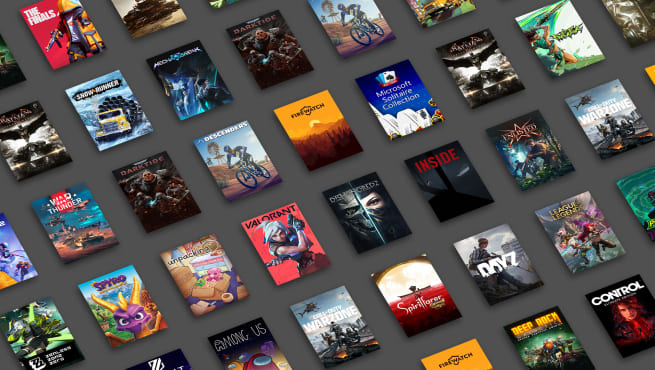
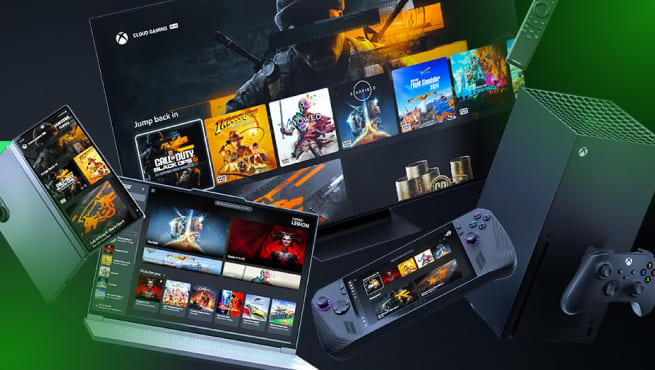
A true Xbox gamer simply needs Xbox Game Pass Ultimate. From 500+ free games to EA Play and online multiplayer, this subscription gets you all the benefits. You’ll never miss a thing!
✓ 500+ free games on Xbox console, PC, and other supported devices. ✓Play new games from day one, ranging from Xbox titles to third-party games. ✓Access to Fortnite Crew, EA Play, and Ubisoft+ Classics. ✓Stream games at the best quality with the shortest wait times. ✓Play and earn up to 100,000 Rewards points a year in the Xbox Store. ✓ Benefits for games like League of Legends and Call of Duty. ✓Online console multiplayer.
Looking for premium perks without the high price? Xbox Game Pass Premium is the ideal choice for you! You still get some nice benefits like free games and online multiplayer, but the costs are not as high.
✓ 200+ free games on Xbox console, PC, and other supported devices. ✓Access to new Xbox titles within 12 months of launch. ✓Stream games with shorter wait times. ✓Play and earn up to 50,000 Rewards points a year in the Xbox Store. ✓ Benefits for games like League of Legends and Call of Duty. ✓Online console multiplayer.
✘ Access to Fortnite Crew, EA Play, and Ubisoft+ Classics. ✘ Play new games from day one.
Xbox Game Pass Essential: for the budget-conscious gamers
For the most budget-conscious Xbox gamers, there’s Xbox Game Pass Essential. This subscription gives you access to the basics like cloud gaming and some free-to-play games while keeping your monthly costs as low as possible.
✓ 50+ free games on Xbox console, PC, and other supported devices. ✓Stream games, including select titles you already own. ✓Play and earn up to 25,000 Rewards points a year in the Xbox Store. ✓ Benefits for games like League of Legends and Call of Duty. ✓Online console multiplayer.
✘ Access to Fortnite Crew, EA Play, and Ubisoft+ Classics. ✘ Play new games from day one. ✘ Access to new Xbox titles within 12 months of launch.
Xbox Live Gold to Xbox Core to Xbox Game Pass Essential
Some Xbox gamers might remember that there used to be a subscription called Xbox Live Gold. In 2023, this subscription was rebranded to Xbox Core, and now it’s been changed to Xbox Game Pass Essential. The subscription has stayed mostly the same throughout the changes, with all the core features still included. All the games you already had with Live Gold or Core are automatically converted to your Xbox Game Pass Essential account.
Why buy Xbox Game Pass at Startselect?
At Startselect, you can buy Xbox Game Pass or Xbox Game Pass Ultimate with Credit Card, Apple Pay and Klarna or any of our other secure payment methods. You'll receive your code within 10 seconds after finishing your payment. The subscription automatically expires after the number of months you've chosen. That means you're not tied to anything, and you don't need a credit card!
What are you waiting for? Start, Select, Play!
✓ Trusted by over 7 million gamers – rating us 4.4 / 5
Do you have any questions about Xbox Game Pass or our other Xbox products? See if your question is answered in the frequently asked questions below. If not, don’t hesitate to contact our customer service. They are available 24/7!
What is Xbox Game Pass?
Xbox Game Pass is the official online membership of Microsoft Xbox. It’s available in different subscription tiers: Xbox Game Pass Ultimate, Xbox Game Pass Premium, and Xbox Game Pass Essential.
Depending on your choice, Game Pass gives you access to benefits like online multiplayer, free Xbox One and Xbox Series X|S games and exclusive discounts.
How does Xbox Game Pass work?
Becoming an Xbox Game Pass member is easy. Just buy your subscription at Startselect, and you’re ready to go! After you start your subscription, you instantly get access to the perks that come with it, like online multiplayer gaming and free games.
What is the difference between Xbox Game Pass Essential, Premium and Ultimate?
Xbox Game Pass Essential (formerly Xbox Live Gold and after that Xbox Game Pass Core) is a simpler, more affordable subscription that gives you access to online multiplayer and a small selection of the other Game Pass benefits.
Xbox Game Pass Premium is the middle ground subscription. It gives you access to a couple more features, but it’s also more expensive.
Xbox Game Pass Ultimate, on the other hand, is the all-in-one Xbox subscription. It includes hundreds of games, first-party Microsoft titles on release day, online multiplayer, Xbox Cloud Gaming, PC gaming, and even a free EA Play subscription.
What games can I play with Xbox Game Pass?
The Xbox Game Pass library is constantly expanding, offering hundreds of games across console, PC, and the cloud. Want to see the latest lineup? Check out the official Xbox Game Pass catalogue online!
How do I receive my Xbox Game Pass code?
Within 10 seconds of completing your payment, your Xbox Game Pass code will appear on your screen and be sent to your inbox. You can redeem it easily via your Xbox console or the Microsoft website.
How do I redeem my Xbox Game Pass code?
There are two ways to redeem your Xbox Game Pass code:
To play online games on your Xbox console, you need an Xbox Game Pass Ultimate, Premium or Essential subscription. Once you have your subscription, you can start playing online by following the steps below:
Make sure your Xbox is connected to Wi-Fi or Ethernet.
Check if the online game you want to play is available with your Xbox Game Pass subscription in the Xbox Games library.
Log in to your Xbox Game Pass account
Find the game through the Xbox Store on your console.
Download and start playing!
Can I play games online without Xbox Game Pass?
No, you can't play games online on your Xbox console without an Xbox Game Pass subscription.
Do I need an Xbox console to use my Xbox Game Pass subscription?
No, all Xbox Game Pass subscriptions are available on consoles, PCs and other supported devices and platforms.
How do I cancel my Xbox Game Pass subscription?
On console
Start your Xbox console and press the Xbox button to open the guide.
Go to Profile & System and go to Settings.
Then search for Account and go to Subscriptions.
Click on your subscription and select Cancel subscription and follow the steps.
On web
Go to Subscriptions and sign in with the Microsoft account you used to purchase your subscription.
Find your subscription and select Manage.
Click on Cancel subscription and follow the steps.
If you started your Xbox Game Pass subscription with one of our gift cards, the subscription automatically ends after the number of months specified on the gift card (1, 3, or 6 months).
How much does Xbox Game Pass cost?
How much your Xbox Game Pass subscription will cost depends on the subscription you choose. These are the monthly prices for all the different Xbox Game Pass subscriptions:
Xbox Game Pass Ultimate: €26,99 per month.
Xbox Game Pass Premium: €12,99 per month.
Xbox Game Pass Essential: €8,99 per month.
How much is Xbox Game Pass?
How much your Xbox Game Pass subscription will cost depends on the subscription you choose. These are the monthly prices for all the different Xbox Game Pass subscriptions:
Xbox Game Pass Ultimate: £22.99 per month.
Xbox Game Pass Premium: £10.99 per month.
Xbox Game Pass Essential: £6.99 per month.
Can I buy a 12 month Xbox Game Pass?
Yes, you can! At Startselect, you’ll find a 12-month subscription gift card for Xbox Game Pass Essential.
Is Xbox Game Pass worth it?
Many gamers would say Xbox Game Pass is worth it. This is because it gets you access to a vast library of games, day-one access and online multiplayer. Especially if you game regularly and like to game with friends online, this subscription is a must-have.
However, if you prefer owning only a couple of games and don’t go online, it may not be cost-effective. Luckily, the Xbox Game Pass subscription comes in different tiers, so you can choose the one that fits you the best!
Your country selection will ensure that we offer the correct products and payment methods. Please ensure that it corresponds to your country and to the account(s) on which you are planning to redeem the product.